Remote Files — Administrator Guide#
Overview#
The remote files feature allows users to attach files to records by URL instead of uploading them. B2SHARE stores the link, verifies reachability at deposit time, and rechecks all registered remote files daily via a Celery task.
The feature is disabled by default. An administrator must enable it and configure the allowed domains before users can attach remote files.
Admin panel#
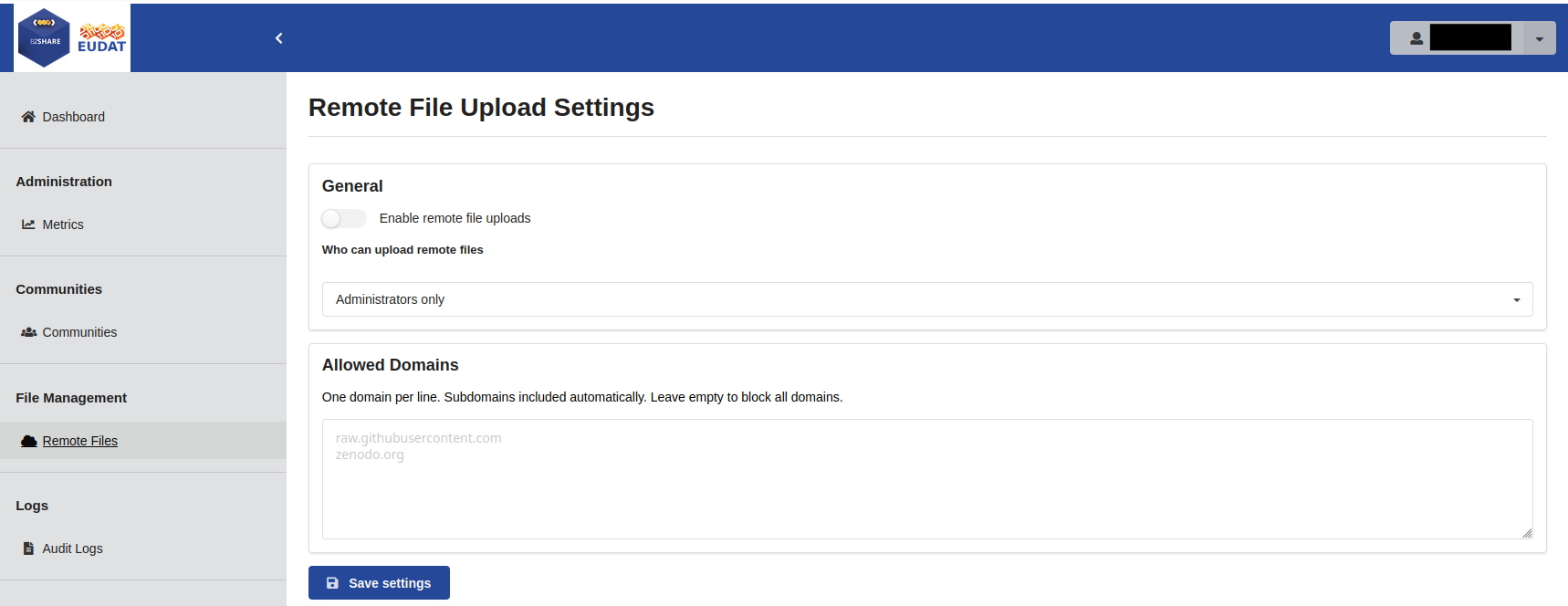
The admin panel provides a settings form under File Management → Remote Files.
The settings overview:
Click Edit to open the settings form:
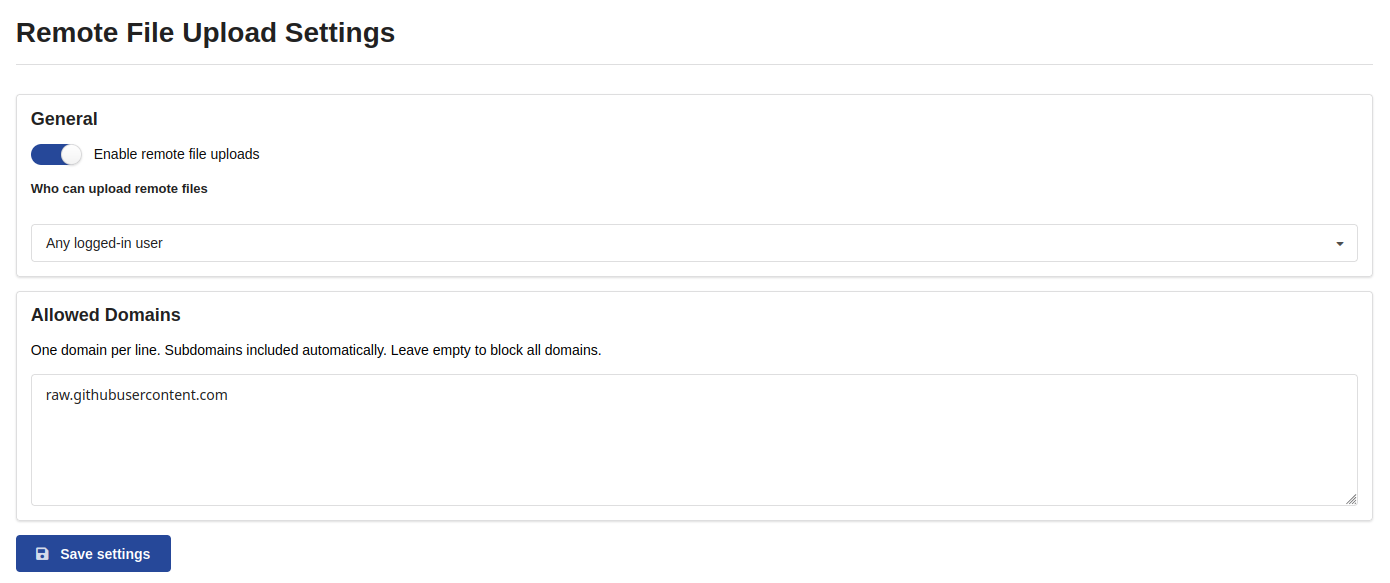
Settings managed in the admin panel:
| Setting | Description |
|---|---|
| Enabled | Master switch. Must be true for the deposit form to show the remote file option. |
| Allowed domains | Comma-separated list of trusted hostnames (e.g. a3s.fi, my-repo.example.org). Only URLs on these domains are accepted. Subdomains are automatically included. An empty list blocks all URLs even if the feature is enabled. |
| Allowed role | Who may attach remote files (see Access control below). |
Settings are stored in the database and take effect immediately — no restart required.
Database configuration#
Settings are stored in the remote_file_settings table.
The first row (where community_id IS NULL) is the global configuration.
| Column | Type | Default | Description |
|---|---|---|---|
enabled |
boolean | false |
Feature master switch |
allowed_domains |
JSON array | [] |
Accepted hostnames |
allowed_role |
varchar | administrator |
Access level (see below) |
community_id |
varchar | NULL | Reserved for future per-community settings |
On application startup the DB values are copied into Flask config
(RECORDS_RESOURCES_FILES_ALLOWED_REMOTE_DOMAINS, REMOTE_FILES_ENABLED)
so all running workers see the same settings after the next restart or Celery worker reload.
First boot: if
allowed_domainsis empty on startup, the extension seeds it fromRECORDS_RESOURCES_FILES_ALLOWED_REMOTE_DOMAINSininvenio.cfg.
Access control#
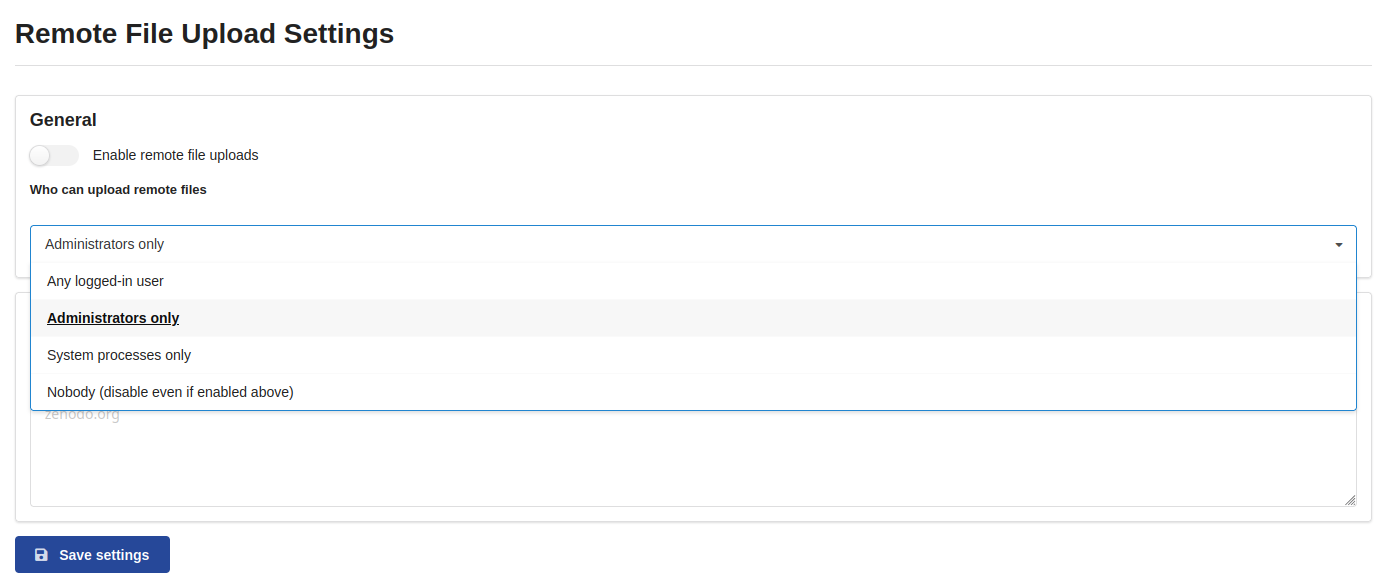
The allowed_role field controls who can attach remote files:
| Value | Who can attach remote files |
|---|---|
anyone_logged_in |
Any authenticated user |
administrator |
Users with the B2SHARE administrator role |
system |
System processes only (effectively API-only) |
nobody |
Nobody — disables the deposit UI even if enabled = true |
The permission is enforced at the service layer via the DynamicRemoteFilePermission generator, which reads the live DB value on every check.
Note: setting
allowed_role = "administrator"does not prevent depositors from creating remote files through the standard RDM service. Useenabled = falseorallowed_role = "nobody"to block all users including depositors.
SSRF protection#
URL verification uses a custom redirect handler. Any HTTP redirect that resolves to a domain outside the allowed list is rejected immediately. This prevents open-redirect attacks on trusted domains (e.g. a CDN redirecting to an internal metadata endpoint).
Ensure allowed domains are externally routable servers that do not proxy internal network resources.
Reachability monitoring#
Daily Celery task#
The task check_remote_file_reachability runs once per day (configure via Celery Beat).
It performs a HEAD request (with a Range-GET fallback) against every registered remote file URL.
Recommended Celery Beat schedule (add to CELERYBEAT_SCHEDULE in invenio.cfg):
CELERYBEAT_SCHEDULE = {
    # ... existing tasks ...
    "check-remote-file-reachability": {
        "task": "b3share.remote_files.tasks.check_remote_file_reachability",
        "schedule": crontab(hour=3, minute=0),  # 03:00 UTC daily
    },
}
Status values#
| Status | Condition |
|---|---|
unknown |
Not yet checked (initial state after registration) |
accessible |
Last HEAD/GET succeeded |
unreachable |
Last check failed; failure started less than 14 days ago |
unverifiable |
Server does not support HEAD or Range-GET |
dead |
Unreachable for 14+ consecutive days |
The dead threshold is controlled by REMOTE_FILES_DEAD_THRESHOLD_DAYS (default: 14).
First-failure retry#
When a file fails for the first time, a recheck_remote_file task is scheduled 10 minutes later.
If the recheck also fails, the status becomes unreachable and the daily cycle handles subsequent checks.
This prevents transient network blips from immediately marking files unreachable.
API reference#
All endpoints are under /api/remote-files/.
Settings endpoints require administrator rights.
The status endpoint is public (no authentication required).
GET /api/remote-files/settings#
Returns current global settings.
{
  "id": 1,
  "enabled": true,
  "allowed_domains": ["a3s.fi", "my-repo.example.org"],
  "allowed_role": "anyone_logged_in",
  "community_id": null,
  "created": "2026-01-15T10:00:00+00:00",
  "updated": "2026-06-01T08:30:00+00:00"
}
PUT /api/remote-files/settings#
Update global settings. Accepts a JSON body with any combination of enabled, allowed_domains, allowed_role.
{
  "enabled": true,
  "allowed_domains": ["a3s.fi"],
  "allowed_role": "anyone_logged_in"
}
POST /api/remote-files/verify#
Submit a URL verification task. Returns a task_id immediately (non-blocking).
Request:
{ "url": "https://a3s.fi/my-bucket/dataset.zip" }
Response 202:
{ "task_id": "abc123-..." }
Validation failures (bad URL, disallowed domain) return 400 without queuing a task.
GET /api/remote-files/verify/poll/<task_id>#
Poll the result of a verification task.
Response 200 (complete):
{
  "status": "accessible",
  "size": 104857600,
  "message": null
}
Response 202 (pending):
{ "pending": true }
POST /api/remote-files/register#
Register a remote file for daily monitoring (called automatically by the deposit form after verification).
{
  "record_pid": "abcde-12345",
  "file_key": "dataset.zip",
  "url": "https://a3s.fi/my-bucket/dataset.zip",
  "size": 104857600,
  "initial_status": "accessible"
}
GET /api/remote-files/status?record_pid=<pid>#
Return reachability statuses for all remote files in a record. URLs are not included in this response.
[
  {
    "file_key": "dataset.zip",
    "size": 104857600,
    "status": "accessible",
    "last_checked": "2026-08-11T03:00:00+00:00"
  }
]
Configuration reference#
| Config key | Default | Description |
|---|---|---|
REMOTE_FILES_ENABLED |
false |
Synced from DB on startup; do not set in invenio.cfg directly |
RECORDS_RESOURCES_FILES_ALLOWED_REMOTE_DOMAINS |
[] |
Synced from DB on startup; used as seed value on first boot |
REMOTE_FILES_DEAD_THRESHOLD_DAYS |
14 |
Days of consecutive failures before status becomes dead |
Troubleshooting#
Remote file option not visible in deposit form#
- Check
enabled = truein the admin panel. - Check
allowed_roleis notnobody. - Check the user has the required role.
- Confirm the application restarted after first-boot DB seeding (or that
allowed_domainsis non-empty in DB).
URL verification fails for a known-good URL#
- Confirm the domain is in
allowed_domains. - Check the server allows
HEADrequests from external clients. - Check the server does not redirect to a disallowed domain.
Daily check not running#
- Confirm
check_remote_file_reachabilityis inCELERYBEAT_SCHEDULE. - Check Celery Beat worker logs for scheduling errors.
Last update: 2026-08-11
Last review: 2026-08-11